

Do You Actually Need an AI Chatbot?
Before comparing tools, ask a simpler question. If your business gets the same five or six questions repeatedly, such as opening hours, delivery times or pricing, a chatbot pays for itself quickly. If your enquiries are mostly complex or one-off, a chatbot will frustrate customers more than it helps.
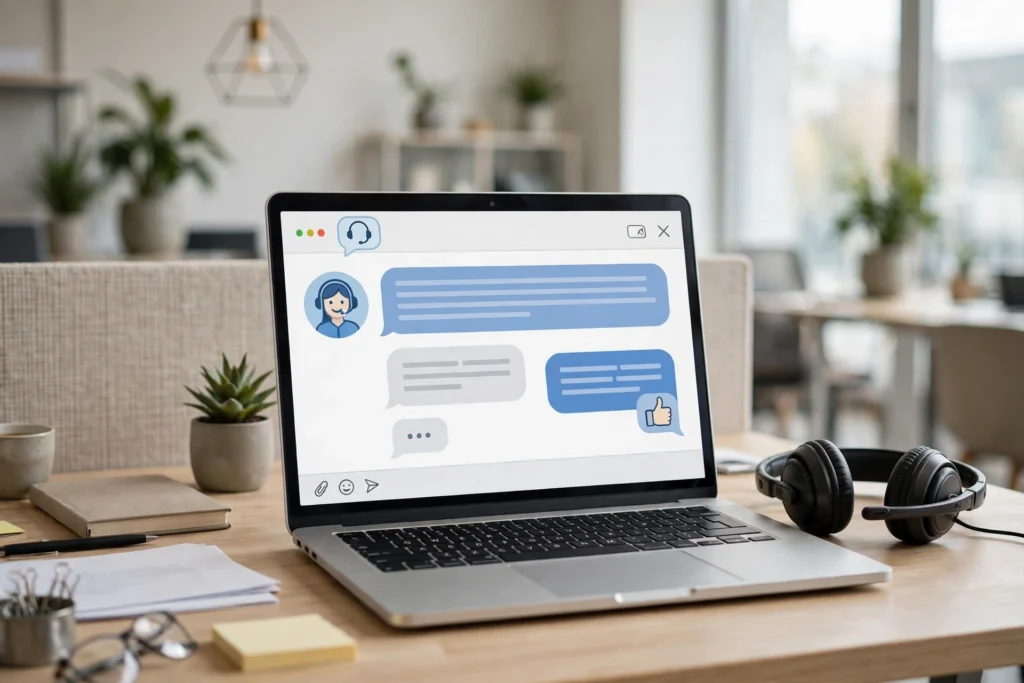
Most AI chatbots for small business now use large language models rather than rigid scripts, which means they understand natural questions instead of forcing customers through a menu of buttons.
How to Choose Without Overspending
Every vendor claims to be the best. The honest answer is that the right tool depends on your budget and how much of your own content it needs to learn from.
Free or Under £20 a Month
If you are testing the waters, start here. Free and low-cost plans typically cap the number of conversations per month but let you try a real AI-powered chatbot rather than a scripted one.
- Tidio (Lyro AI): Built for small e-commerce stores, with a free plan and paid tiers starting around £25 a month.
- Chatbase: Trains a chatbot on your own website content and documents, useful for FAQ-style support.
- ManyChat: Strong choice if most of your customer contact already happens on Instagram or Messenger.
£25 to £50 a Month
This range suits a small business with steady enquiry volume that wants CRM integration or multi-channel support.
- Freshchat: Good multichannel support with AI automation, and integrates with the wider Freshworks suite if you already use it.
- HubSpot Chatbot: Worth considering if you already use HubSpot for your CRM, since the chatbot draws on existing customer data.
Enterprise-Priced Tools to Approach with Caution
Some well-known names, including Zendesk AI and Salesforce Agentforce, price per agent seat or per resolved conversation, which can add up fast for a small business. These are built for support teams with dozens of staff, not a solo owner or a team of two or three.
What to Check Before You Commit
- Can it learn from your own content? The best small business chatbots train on your website, FAQ page or a document you upload, rather than needing everything typed in manually.
- Does it hand off to a human cleanly? Look for a clear escalation path, so a frustrated customer reaches a real person instead of looping with the bot.
- Where does your data go? Ask the vendor directly how customer conversations are stored and whether they are used to train other customers’ bots.
- Is there a genuine free trial? Test with your real, messy customer questions before paying, not the vendor’s polished demo questions.
A Simple Decision Framework
If you run an online shop, start with Tidio. If most support happens over social media, start with ManyChat. If you already pay for a CRM such as HubSpot, use its built-in option before adding a separate tool. Only look at enterprise platforms once you have outgrown a small, affordable plan.
Train the Bot on Your Own Words, Not on the Internet
A chatbot is only as good as what it has been taught. The most common reason small business chatbots give wrong answers is not the software. It is the training data. Many owners connect a tool, point it at their website, and expect it to know the business. A website is a brochure, not a knowledge base. It does not list your delivery cut-off times or refund exceptions. The bot fills those gaps by guessing, and the guesses sound confident.
Build the knowledge base yourself, in a plain document, before you switch the bot on. Start with the twenty questions your customers ask most often, written exactly as customers phrase them, with short, specific answers in your own words. Add your policies, prices, opening hours, and product names as customers actually refer to them. Tools such as Chatbase and SiteGPT let you upload documents or paste text, and the better the source material, the better the answers.
Then test the bot the way a customer would. Ask it the twenty questions in the words customers use, including the awkward phrasings and misspellings. Ask it a question it cannot answer, such as a refund for an order from last year. A good bot says it does not know and offers a human. A bad bot invents a policy. Run the test again every time you change a price, a policy, or a product. Keep the document as your master copy, and update it first, then update the bot.
Write the Handoff Before You Launch
Every chatbot needs a handoff. Write it first, before you launch, not after a customer has been trapped in a loop. Decide exactly when the bot stops and a human takes over, and write the words the bot will use when that happens. A Clutch survey of 422 consumers found that 87 percent had used AI-powered support, but 67 percent had considered or stopped doing business with a company after a bad AI support interaction.
Set three clear escalation triggers. First, any refund, complaint, or dispute goes straight to a human. Second, any question the bot cannot answer after one try goes to a human. Third, any message that shows frustration goes to a human at once. The bot should say so plainly, and give a response time, such as two working hours. Then keep that promise. A handoff that leads nowhere is worse than no handoff at all.
Measure the bot every month. Track three numbers: the resolution rate, meaning the share of conversations the bot finishes without a human; the escalation rate, meaning how often customers ask for a human; and customer satisfaction, measured by a one-question rating after each chat. Tidio’s Lyro AI resolves up to 67 percent of queries automatically, which is a useful benchmark. If the resolution rate is high and satisfaction is low, the bot is answering quickly and badly. A bot that nobody measures is a bot that quietly damages your reputation.
How many questions should a chatbot answer before handing over to a human?
One failed answer is enough. If the bot cannot answer a question confidently on the first try, it should hand over rather than guess again. For refunds, complaints, and anything involving money, the answer is zero: those go straight to a human. Simple factual questions can be answered in one exchange. The rule is simple: the bot answers what it knows, and hands over everything else, quickly and politely.
Will customers know they are talking to a chatbot?
They should, and most already do. With 87 percent of consumers having used AI-powered support, pretending the bot is a person fools nobody and annoys everybody. Be upfront. A short line such as, Hi, I am the assistant for this shop, and I will pass you to a team member for anything else, sets the right expectation. Customers accept a bot that is honest about what it is. They do not accept a bot that wastes their time pretending to be human.
Frequently Asked Questions
What is the best AI chatbot for a small business on a tight budget?
Tidio and Chatbase both offer genuine AI-powered chatbots with free or low-cost entry plans, making them a sensible starting point before committing to a larger monthly spend.
Can an AI chatbot replace human customer service completely?
No. AI chatbots handle repetitive, predictable questions well, but complex or emotional enquiries still need a clear path to a human. The best setups combine both.
Is customer data safe with AI chatbots?
It depends on the vendor. Always check the provider’s data policy directly, including whether conversations are used to train models for other customers, before connecting a chatbot to sensitive customer information.
How long does it take to set up an AI chatbot?
Many small business tools can be live within a day, since they train directly from your existing website or a document you upload, rather than needing manual scripting.
Do AI chatbots work for service-based businesses, not just online shops?
Yes. Any business with repeatable questions, such as booking enquiries, pricing or availability, can benefit, though the return is strongest where enquiry volume is high and questions are predictable.
Looking for more practical AI guidance? Read our guide on AI cybersecurity for small businesses or browse AI Tools & Reviews.