
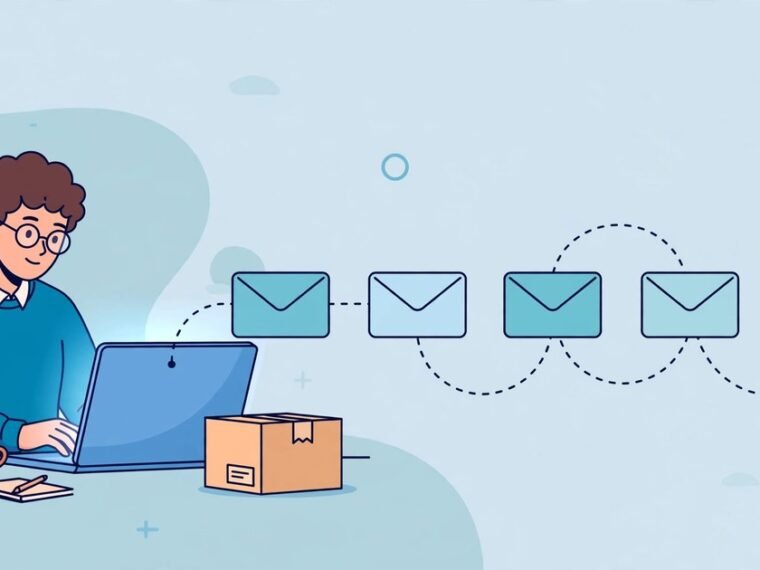
You can automate customer onboarding emails for a small business in one afternoon. Set up five emails, triggered by a signup or first purchase, that welcome the customer, guide them to their first result, answer common questions, and check in with a human reply. The tools cost little at small volumes, and the sequence runs itself.
What Is a Customer Onboarding Email Sequence?
A customer onboarding email sequence is a set of automated emails sent after someone signs up or buys for the first time. Each email has one job and one call to action. The sequence ends when the customer reaches their first result, whether that is booking a first appointment, completing setup, or using the product for the first time. This is different from a newsletter, which goes to your whole list on a schedule, and different from a single welcome email. One email confirms the purchase. A sequence guides the customer through the first two weeks, when most new customers decide whether to stay or drift away.
Why Automate Onboarding Emails?
Most small businesses lose new customers in silence. Nobody complains. They simply never come back. The usual cause is a gap between the sale and the first result, and nobody fills it.
Automation fills that gap reliably. A sequence sends the same careful message to customer number three and customer number three hundred. It never forgets, never has a busy week, and never sends the wrong link because it was typed in a hurry.
It also saves real time. Writing five short emails once replaces writing the same welcome and the same answers to the same questions for every new customer.
The Five Email Sequence That Works for Small Businesses
Keep the sequence short. Three to five emails beat a long drip, because each email is tied to something the customer does or fails to do.
Email 1: Welcome and first step. Send it immediately after signup or purchase. Thank the customer, confirm what they bought, and give them one clear action. Tell them what happens next and when. One link, one action, no more.
Email 2: Quick win nudge. Send it one day later, only if the customer has not taken the first step. Point them to the exact screen, form, or booking page. If the step takes two minutes, say so.
Email 3: Success story. Send it around day three. Show a customer like them getting a result. Keep it short and specific.
Email 4: Feature or service spotlight. Send it around day five. Teach them the second most valuable thing you offer.
Email 5: Human check in. Send it around day twelve. Ask a question and invite a reply. This email should come from a real reply to address that you actually read.
Branch on behaviour, not just time. If a customer completes the first step before email two is due, skip straight to email three.
How to Build It Step by Step
Step 1: Map the journey on paper first. Write down the trigger event, the first result you want the customer to reach, and the five emails above. If customers use your service daily, compress the sequence into a week. If it is a monthly service, stretch it to three weeks.
Step 2: Pick one tool and learn it properly. You need an email platform with automation triggers, delays, and simple conditional logic, so your email marketing campaigns run themselves. MailerLite, Kit, Brevo, and ActiveCampaign all offer this, and each has a free plan or low cost entry tier for small lists.
Step 3: Connect the trigger. The trigger is usually a signup form, a purchase in your shop or payment processor, or a new contact in your CRM. Most tools connect to Shopify, WooCommerce, Stripe, and common form builders directly.
Step 4: Write the emails in plain language. Short sentences, one idea per paragraph, and a single call to action per email. Read each email aloud before you publish it. If it sounds like a robot wrote it, rewrite it.
Step 5: Test the full sequence on yourself. Sign up with a test address and walk through every email. Click every link. Check the timing. Then ask one real customer to read the welcome email and tell you what confused them.
Tools Compared for a UK Small Business
MailerLite suits very small lists, with a free plan up to 1,000 subscribers and simple branching. Kit suits creators and consultants who sell courses or services. Brevo suits businesses that send a lot of email but have a small list, because its free plan is based on daily sending volume rather than subscriber count. ActiveCampaign suits businesses that want deeper logic and CRM features in one place, but it costs more.
Start with the free plan of whichever tool feels simplest, and check our roundup of sales prospecting tools if outreach is part of your plan. Moving a five email sequence to another tool later takes an hour.
UK Law: GDPR and PECR Rules You Must Follow
Automated emails are still emails, and UK law still applies. The two rules that matter most are consent and the soft opt in.
If someone signs up to your list or buys from you, you can usually email them about the product or service they bought. This is the soft opt in, and it covers onboarding emails about their purchase. You must give them a clear way to opt out in every email, and you must honour opt outs promptly.
You cannot add people to marketing emails just because they once enquired or because you found their address online. That needs consent. Keep a record of how each person joined your list. Always use a real reply to address, include your business name and address in the footer, and never buy an email list.
What Not to Automate
Not every message should be automated. A complaint, a refund request, and a confused reply all need a person. Your sequence should invite replies, and someone should read them every day. Do not automate the first reply to a customer problem, and the same applies when you automate lead follow up. A fast human answer in the first hour does more for retention than any sequence.
How to Measure Whether It Works
Watch four numbers. Open rate tells you whether your subject lines earn attention. Click rate tells you whether the email content is useful. First action completion tells you whether customers reach the result you designed the sequence for. Reply rate tells you whether the sequence feels human enough to answer.
For a small business, the most important number is first action completion. If most new customers complete the first step within a week, the sequence works.
Frequently Asked Questions
How many onboarding emails should a small business send?
Three to five emails is the practical sweet spot. Fewer than three rarely guides a customer to their first result. More than five usually repeats itself and earns unsubscribes.
How long should the onboarding sequence last?
About two weeks. Welcome immediately, nudge after one day, story on day three, spotlight on day five, check in on day twelve.
Do I need a CRM to automate onboarding emails?
No. A simple email tool with automation triggers is enough to start. You need a signup form or a purchase event as the trigger and a list to send to. Add a CRM later if you need to segment customers.
What is the best free tool for onboarding email automation?
MailerLite, Kit, and Brevo all offer free plans that cover a small business starting out. The best one is the one you will actually finish setting up. Compare the free limits against your list size and pick the simplest option.
Can I automate onboarding emails under UK GDPR?
Yes, if you follow the rules. Onboarding emails about a product or service someone bought are usually covered by the soft opt in. You still need a clear unsubscribe link in every email, a record of consent, and a real reply to address.
Conclusion
Automating onboarding emails is one of the highest value jobs a small business can do in an afternoon. Five short emails guide every new customer to their first result without you writing the same message twice. Keep the sequence short, branch on what customers actually do, respect UK consent rules, and leave room for a human reply.