
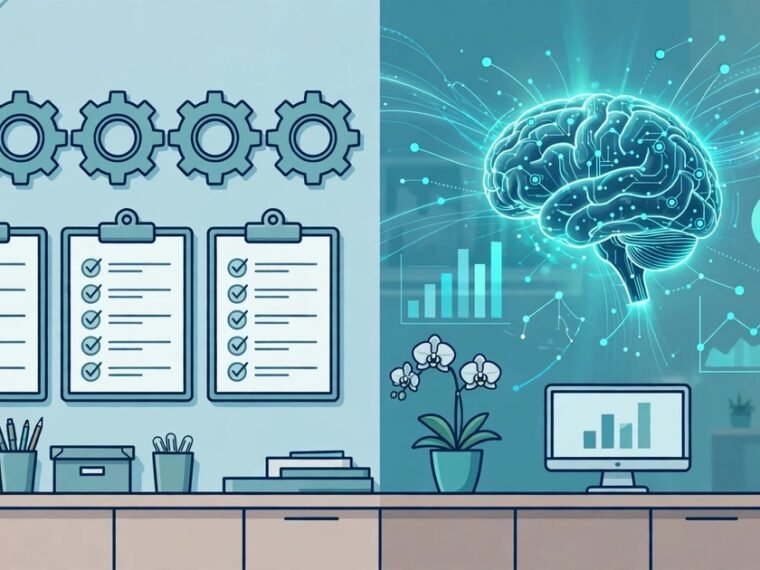
Automation follows rules you write in advance. AI makes a judgement at run time. That distinction decides which tool fits a job, what it costs, and where it can go wrong. Pick the wrong one and you either pay an AI price for a job a rule could do, or you trust a fixed rule with a judgement it was never built to make.
What Is Automation?
Automation is software that carries out a task with little or no manual input, by following steps a person set up beforehand. You define the trigger, the steps, and the conditions, and the software repeats them exactly, every time.
A familiar example is an invoice rule. When a payment lands in your bank feed, the software marks the invoice as paid, files the receipt, and sends a thank you email. The same input always gives the same output. Our guide to how to automate invoice processing for a small business walks through this setup.
Automation works best when the task is repetitive, the steps are known in advance, and the input arrives in a tidy form, such as a form field or a status change. It is predictable, easy to test, and cheap to run. Its weakness is rigidity: an input outside the rules either stops the chain or gives the wrong result.
What Is AI?
Artificial intelligence is software that learns patterns from large amounts of data and uses those patterns to handle inputs it has not seen before. The AI tools most small businesses use today are built on large language models, which can read, write, summarise, classify, and answer questions in plain language.
Unlike automation, AI does not follow a script you wrote step by step. You describe what you want, and the model produces the most likely response based on its training. That makes it good at messy work: reading a customer email in the customer’s own words, pulling a date out of a long thread, or drafting a first reply for a person to check.
The trade off is that AI output is probable, not guaranteed, and it can fail quietly with a confident but wrong answer. AI steps therefore need a human check wherever money, customer promises, or legal details are involved.
AI vs Automation: The Key Differences
| Feature | Automation | AI |
|---|---|---|
| How it works | Follows fixed rules written in advance | Learns patterns from data and judges each new input |
| Output | Identical every time for the same input | Can vary, even for similar inputs |
| Best input | Structured data: fields, statuses, rows | Unstructured data: emails, documents, images, audio |
| Decisions | Only decisions a person coded beforehand | Judgement calls at run time |
| Failure mode | Breaks loudly: the step errors and stops | Fails quietly: a confident but wrong result can slip through |
The short version: automation does, AI decides.
The Small Business Decision Table: Which One Wins for Each Task
Most explainers define both terms and stop. A small business owner needs to know which tool to use for which job. Here is that table, for a firm with under ten staff.
| Task | Use automation | Use AI | Why |
|---|---|---|---|
| Send a receipt after every payment | Yes | No | Same message, same trigger, no judgement needed |
| Route a new enquiry to the right person | Yes, if the rule is fixed | Yes, if enquiries arrive as free text | Fixed regions suit rules; vague messages need reading |
| Sort incoming emails into categories | No | Yes | Every email is worded differently |
| Draft a reply to a customer complaint | No | Yes, with a human check | Tone and facts vary by case |
| Summarise a long email thread | No | Yes | Reading and condensing is a judgement task |
The rule of thumb: if you can write down every step and exception before the work starts, use automation. If the input varies and a person would need to read it first, use AI, and keep a person in the loop.
Real Examples From Firms With Under Ten Staff
Consider a three person plumbing firm. A customer emails about a leaking water heater on Thursday. Automation alone can send the same instant reply to every email: “Thanks for reaching out, we will call you within one business day.” It does not know the customer mentioned a water heater or Thursday. An AI step can read that email, pull out the problem and the day, and draft a fitting reply: “Sorry to hear about the water heater. We have an opening on Thursday afternoon. Does 2pm work for you?” Staff check it before sending. Good drafting starts with clear instructions, which is why our guide to writing better AI prompts for business is worth reading first.
Now consider a five person online shop. Every order triggers the same chain: payment confirmed, stock reduced, dispatch note created, tracking email sent. That is pure automation, and adding AI would only add cost and risk. But when a customer writes in saying a parcel arrived damaged, AI can read the message, classify it as a damage claim, and draft the response. Handled well, that first reply protects the relationship, as our guide to using AI for customer retention explains.
Why Most Small Businesses Need Both
AI and automation are not rivals. The strongest setups combine them: rules provide the structure, and AI handles the single step where the input is unstructured.
A typical combined workflow: a rule creates the lead record, an AI step drafts a first reply, the owner checks and sends it, and a rule logs the reply and sets a follow up reminder.
Costs, Risks, and Common Mistakes
The most common mistake is paying an AI price for an automation job. If a vendor sells you an “AI powered” receipt sender and the receipt is identical every time, you are paying for intelligence you do not use. Ask what the AI step actually reads or decides. If the answer is nothing, a rule will do.
The second mistake is trusting AI with a job that needs a guaranteed answer. Prices, dates promised to customers, and tax or legal details should come from your records, not from a model’s best guess.
The third mistake is skipping the audit trail. With automation, the rule is the audit. With AI, record what was read, what was decided, and who confirmed it. That matters for disputes and for UK GDPR. Finally, do not automate a broken process: if nobody can describe the steps clearly, neither a rule nor a model will fix it.
A Simple Five Step Test Before You Buy Anything
- Write down the task in one sentence: what arrives, and what should happen next.
- Ask whether every step and exception can be listed in advance. If yes, start with automation.
- Ask whether the input varies in wording, format, or content. If yes, that step may need AI.
- Ask who checks the output, and what happens if it is wrong. High stakes mean a human check, always.
- Pilot on 20 to 30 real examples, including awkward ones, before committing.
Frequently Asked Questions
Is AI better than automation?
Neither is better in general. Automation wins for fixed, repetitive work. AI wins where the input varies and a judgement is needed. Most businesses get the best result from both.
Can a small business use AI without a technical team?
Yes. Modern AI tools accept plain language instructions, so you do not need to train a model or write code. You do need clear instructions, a check on output before it reaches customers, and a record of decisions.
What should I automate first?
Start with the task that is frequent, boring, and identical every time: receipts, confirmations, and reminders. These are low risk and easy to test. Leave judgement heavy work, such as complaint replies, to people, with AI as a drafting assistant.
Is AI safe for customer data?
Yes, if you check the provider’s terms first: where data is stored, whether it is used to train models, and how long it is kept. Under UK GDPR you remain responsible for your customers’ data even when a tool processes it for you.
Conclusion
AI and automation solve different problems. Automation repeats decisions you have already made, reliably and cheaply. AI makes judgements on inputs you have not seen before, but needs oversight. Map each task, use rules where the path is fixed, use AI where the input is messy, and keep a person approving anything that matters.