You can use AI for product photography by starting with a clear phone photo of your real product, then letting an AI tool remove the background, fix the lighting and place the product in a clean scene. AI works best as an editor, not as a replacement for a real photo of your product.
What AI product photography can and cannot do
AI tools are very good at background removal, lighting correction, shadow rebuilding and placing a product into a lifestyle scene. What they cannot do is invent your product. If you ask an AI tool to generate a product from a text description alone, the result will look similar to your product but it will not be your product. Buyers must receive what they saw in the listing, so always photograph the real item first, then use AI to improve that photo.
Start with a good base photo
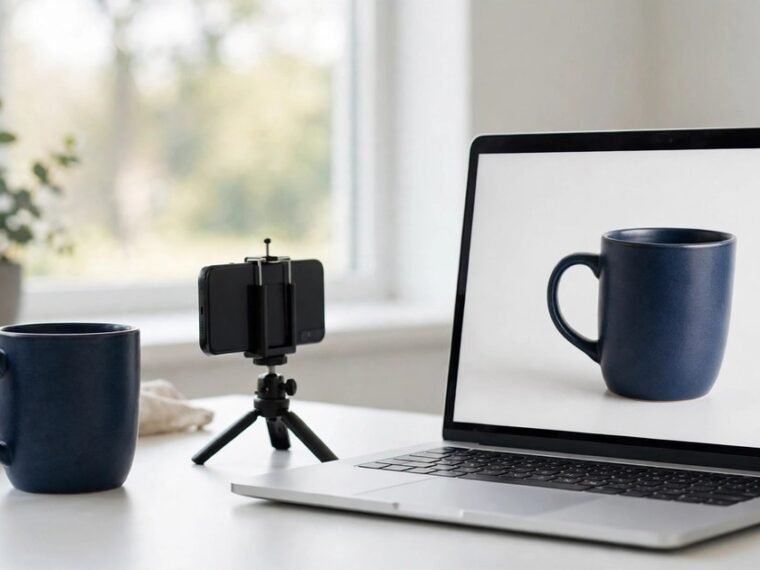
AI cannot recover detail that is not in the original image, so the base photo decides the final quality. You do not need a studio. A smartphone made in the last three years, a window and a plain surface are enough.
Shoot near a window in the morning or early afternoon, with light from the side. Place the product on white card, take the photo straight on, and fill the frame. Wipe the lens first and switch off yellow room lights, because mixed light makes colours hard for AI to correct.
Fix problems in this order: light first, then background, then scene. This order is the step most guides skip, and it is why many AI product photos look odd.
A simple workflow for UK small businesses
- Photograph the product on a plain background in natural light.
- Use an AI background remover to cut the product out and place it on white. This gives you the clean hero image that Amazon, eBay and Etsy expect.
- Ask the AI to fix brightness and shadows only. Make one change per prompt. Stacking several instructions in one prompt usually means only one of them is done well.
- Create one lifestyle version by placing the product in a realistic scene, such as a kitchen shelf. Keep the product itself unchanged.
- Export the image at the size each marketplace needs, and check it on a phone before you publish it. Most buyers shop on a phone, so the image must look right there first.
Best AI tools for UK small businesses
Photoroom is the best all rounder for small sellers. It removes backgrounds in seconds, rebuilds realistic shadows and adds AI scenes. It has a free tier, and paid plans start from around 7.50 US dollars a month on annual billing. Check the price in pounds at checkout, because it is billed in dollars.
Canva is the best choice if product photos are one part of a bigger design job, such as social posts, flyers and banners. Canva Pro is billed in pounds in the UK and has often sat around 10 to 13 pounds a month.
Google Product Studio is free for sellers who use Google Merchant Center. It changes backgrounds, removes backgrounds and raises image resolution.
If you want a broader look at free image tools before you commit, our guide to the best free AI image generators for beginners compares the main free options.
Product photography by UK seller type
Etsy sellers. Handmade and vintage sellers need warm, honest photos. Photograph the item in natural light, remove the background for the hero image, then add one lifestyle shot that shows scale, such as a mug held in a hand. Do not let AI change the colour or the pattern. Etsy buyers return items that look different from the photo, and a wrong colour is the fastest way to a refund.
Food sellers. Photograph food in daylight near a window, never under kitchen spotlights. Use AI to clean the background and brighten the image, then place the product in a simple scene. Keep the food itself untouched. AI that smooths or reshapes food makes it look fake, and buyers notice.
Trades and hardware sellers. Tools, parts and materials need sharp detail more than style. Use a plain white background, strong even light and a straight angle. AI background removal and a small brightness lift are usually enough. A lifestyle scene can hide the detail a buyer needs.
Before and after prompt workflow
Good prompts are short and specific. Write one instruction at a time and keep the product description identical across every prompt in a set. Here is an example for a navy ceramic mug.
Before: a phone photo of the mug on a kitchen table, taken in warm evening light with a cluttered background.
Prompt 1: “Remove the background and place this mug on a pure white background with a soft natural shadow underneath.”
Prompt 2: “Keep the mug exactly the same. Correct the colour to a true navy blue and brighten the image to daylight white balance.”
Prompt 3: “Keep the mug exactly the same. Place it on a light wooden kitchen shelf with a small plant beside it, soft morning light from the left.”
Check each result before the next step. If the colour drifts or the shape changes, go back to the original photo and start again.
Marketplace rules UK sellers must follow
Amazon, Etsy and eBay UK all allow AI enhanced photos, but every marketplace applies the same accuracy rule: the image must show the item the buyer will receive. AI scenes around your product are fine. AI changes to the product itself, such as a different colour or a feature that does not exist, can get a listing removed.
Etsy has one extra rule. If the listing itself is for an AI generated digital product, such as a printable sold as a download, Etsy requires clear disclosure in the listing.
Keep a copy of the original unedited photo for every listing. If a buyer disputes what they received, the original photo is your evidence that the listing was accurate.
Common mistakes to avoid
Do not use AI to invent your first product photo. Start with a real photo every time. Do not stack five instructions into one prompt. Do not accept a result where the colour, logo or pattern has changed. Do not publish the same lifestyle scene for every product, because your shop starts to look like a template. And do not skip the phone check.
AI product photography gives a small UK business the image quality of a studio shoot at a fraction of the cost. The sellers who get the best results treat AI as a skilled editor: real photo first, light fixed first, one change at a time, and the product itself never altered. Use the same images across your channels with our guide to planning social media content with AI, and put them to work with the best AI marketing tools for small business.
Frequently asked questions
Can AI replace a professional product photographer?
For most catalogue and listing work, yes. For a flagship hero image of a luxury brand, a professional shoot is still worth the cost.
Is it legal to use AI enhanced photos on Etsy and Amazon?
Yes, as long as the photo accurately shows the real product. Misleading changes to the product itself can break marketplace rules and get a listing removed.
What is the best free AI product photography tool for a small business?
Photoroom has the strongest free tier for most small sellers, with background removal and basic scenes at no cost. Google Product Studio is also free if you use Google Merchant Center.
How do I keep product colours accurate when AI edits my photos?
Photograph in natural daylight, fix the white balance before any scene work, and repeat the exact colour description in every prompt, such as “keep the mug a true navy blue”.
Do I need a camera, or is a phone enough for AI product photography?
A phone is enough. Any smartphone from the last three years takes a base photo that AI tools can work with. Spend your effort on light and a plain background, not on new camera equipment.
How many photos should each product listing have?
Aim for at least four: one clean white background hero image, one lifestyle scene, one close up that shows detail or texture, and one that shows scale.