H1: Best AI Receipt Scanner Apps for UK Small Businesses
Intro (direct answer)
The best AI receipt scanner app for a UK small business is the one that fits how you keep your books. Sole traders should look at PocketReceipt, which maps scans to HMRC tax categories. Limited companies with an accountant should ask about Dext. Xero users should check Hubdoc, QuickBooks users can use the built-in capture, and teams claiming expenses should compare Expensify and Zoho Expense.
What an AI receipt scanner app actually does
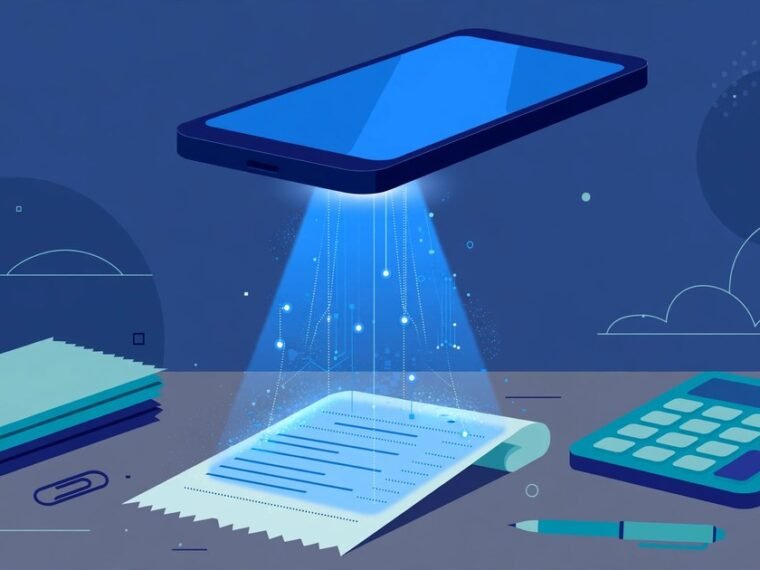
A receipt scanner app turns a paper receipt into a digital record in seconds. You photograph the receipt with your phone. The app reads the text using AI, then pulls out the supplier, date, total and VAT amount. It suggests a category and sends the record to your accounting software, so it appears in your books without any typing.
This matters more than ever in the UK. From April 2026, sole traders with income over £50,000 must keep digital records and send quarterly updates under Making Tax Digital for Income Tax Self Assessment. The threshold drops to £30,000 in April 2027 and £20,000 in April 2028. Scanning receipts as you go is the simplest way to stay ready.
The best AI receipt scanner apps compared
| App | Best for | Works with | Free option | Worth knowing |
|---|---|---|---|---|
| PocketReceipt | UK sole traders | CSV and PDF export for any accountant | Limited free tier | Maps receipts to HMRC SA103F boxes, handles CIS and mileage |
| Dext | Businesses with an accountant | Xero, QuickBooks, Sage, FreeAgent | Free trial | Formerly Receipt Bank, widely used by UK accountants |
| Hubdoc | Xero users | Xero, QuickBooks | Included with Xero | Owned by Xero, so integration is seamless |
| QuickBooks receipt capture | QuickBooks users | QuickBooks | Built into the plan | No separate app to manage or pay for |
| Expensify | Teams claiming expenses | Most major accounting tools | Limited free tier | Strong expense reports and approval flows |
| Zoho Expense | Businesses already using Zoho | Zoho Books and others | Limited free tier | Handles mileage and travel claims too |
| Veryfi | Freelancers who want fast capture | QuickBooks, Xero and others | Free trial | Known for quick text recognition |
| 1tap receipts | Budget-conscious UK users | Export for accountants | Free tier | A low-cost UK-aware option |
Check the current prices and limits on each provider’s own website before you commit, because apps and plans change.
Our picks for UK small businesses
Best for sole traders: PocketReceipt
PocketReceipt is made in Britain for UK tax. Its AI reads the store, amount, date, VAT and category from each photo, then sorts each expense into HMRC SA103F boxes, the categories you use on your Self Assessment return. It also logs mileage at HMRC simplified expense rates and stores CIS deduction statements. Your accountant gets a separate dashboard. Free on iOS and Android with a limited free tier.
Best for limited companies with an accountant: Dext
Dext is the favourite among UK accountants. Snap receipts in the app, forward email receipts, or pull costs directly from suppliers such as Amazon and Shopify. It connects with Xero, QuickBooks, Sage, FreeAgent and thousands of banks. Ask your accountant first: many already run Dext, and linking your account saves everyone time at year end.
Best for Xero users: Hubdoc
Xero owns Hubdoc, and it is often included with Xero business plans. It captures receipts, invoices and bills, then pushes the data straight into Xero. No extra subscription, no extra login.
Best for QuickBooks users: the built-in receipt capture
QuickBooks includes receipt capture in the app. Photograph a receipt and the details land in your books automatically. A separate scanner app usually adds cost and complexity for little gain.
Best for teams that claim expenses: Expensify or Zoho Expense
Once staff spend company money, you need approvals. Expensify handles expense reports, approvals and reimbursements well. Zoho Expense is the natural pick if you already run on Zoho Books, and it includes mileage tracking. Both connect with the major accounting tools.
Best for fast solo capture: Veryfi
Veryfi is built for speed, with a recognition engine known for quick text extraction. It suits freelancers who want to snap a receipt and move on, and it links to QuickBooks and Xero.
UK tax rules your receipt app must handle
VAT receipts
If your business is VAT registered, your app should read the VAT amount on each receipt, not just the total. This is what lets you reclaim VAT correctly. Thermal till receipts often show the VAT line in small print, so check that the app extracts it reliably.
Making Tax Digital
From April 2026, the businesses in scope must keep digital records and send quarterly updates to HMRC. A scanner app that organises records by quarter, and exports them in a format your accountant or MTD software accepts, removes the last-minute scramble.
How long to keep records
HMRC accepts digital copies of receipts, so you can usually bin the paper once you have a complete, readable scan. Sole traders generally keep records for at least five years after the 31 January Self Assessment deadline for that tax year. Limited companies usually keep them for six years.
How to choose the right app for your business
Start with your accounting software. If your app links directly to Xero, QuickBooks, Sage or FreeAgent, your records flow through with no extra work. If you have an accountant, ask which scanner they already use. Many UK accountants run Dext.
Next, think about your volume and check free scan limits. Finally, check data handling. Receipts show where you have been and what you bought, so treat the app like your bank account: strong password, two-factor login, and a clear export path if you switch. Our guide to AI and data privacy for UK small businesses explains what to check before you trust an app with business data.
Tips for scans that stay readable
Lay the receipt flat on a dark surface so the edges stand out. Photograph it in good light, without your shadow across the print. Capture the whole receipt, including the supplier name, date, total and VAT line. Scan thermal till receipts quickly, because the print fades within months.
Snap every receipt before you leave the shop. Forward online receipts the moment they arrive. Spend ten minutes each Friday checking categories. Reconcile with your bank feed every month. Our roundup of the best AI bookkeeping tools for small businesses covers what else can be automated.
Frequently asked questions
What is the best AI receipt scanner app for a UK sole trader?
PocketReceipt is the strongest pick for UK sole traders. It maps receipts to HMRC SA103F categories, handles CIS statements and mileage, and organises records by Making Tax Digital quarter. It offers a limited free tier on iOS and Android.
Does HMRC accept scanned receipts?
Yes. HMRC accepts digital copies as long as they are complete and readable, and you keep them for the required period. Sole traders generally keep records for at least five years after the 31 January Self Assessment deadline for that tax year.
Can a receipt scanner app connect to Xero or QuickBooks?
Most do. Dext, Hubdoc, Expensify, Zoho Expense and Veryfi all link with Xero and QuickBooks. Dext also connects with Sage and FreeAgent.
Is there a free receipt scanner app for UK small businesses?
Yes. PocketReceipt, Expensify and Zoho Expense all offer free tiers with a limited number of scans each month. Check the current limits on each provider’s site, because free tiers change.
What is the difference between a receipt scanner app and accounting software?
A receipt scanner captures and reads receipts, then sends the data on. Accounting software keeps your full books and handles VAT returns. The two work together: the scanner feeds clean data into your accounts.
Should I keep the paper receipts after scanning?
Usually not. Once you have a complete, readable digital copy, HMRC does not require the paper original. Scan thermal receipts quickly before the print fades, and back your scans up away from your phone.
The bottom line
An AI receipt scanner app pays for itself by removing the year-end shoebox. Sole traders should look at PocketReceipt for its HMRC and Making Tax Digital focus. Limited companies with an accountant should ask about Dext first. Xero and QuickBooks users should use the capture tools already included in their plans. Teams with expense claims need the approval flows of Expensify or Zoho Expense.