A small team without a dedicated project manager needs something genuinely different from an enterprise portfolio tool built for a PMO director juggling dozens of simultaneous projects. Here is what actually fits a small team, organised by what is currently causing you the most friction.
If Scheduling Itself Is the Problem: Motion
Motion is built around one specific job: automatically planning and prioritising your team’s day, rescheduling tasks around meetings and deadlines without manual intervention. This suits a small team where the real pain point is constantly reshuffling who does what and when, rather than tracking complex dependencies across a large project.
Watch out for: Once Motion’s AI takes over scheduling, manual adjustments can feel clunky, since the tool is built around trusting its automated plan.
If You Want Everything in One Workspace: ClickUp
ClickUp combines tasks, documents and its AI assistant Brain in a single platform, connecting information across your whole workspace rather than keeping project data siloed from your notes and files. A genuinely useful free tier makes it accessible for a small team before committing to a paid plan.
Watch out for: The learning curve and sheer feature depth can feel like overkill for a very small team with simple needs.
If You Just Need Simple Visual Tracking: Trello or Taskade
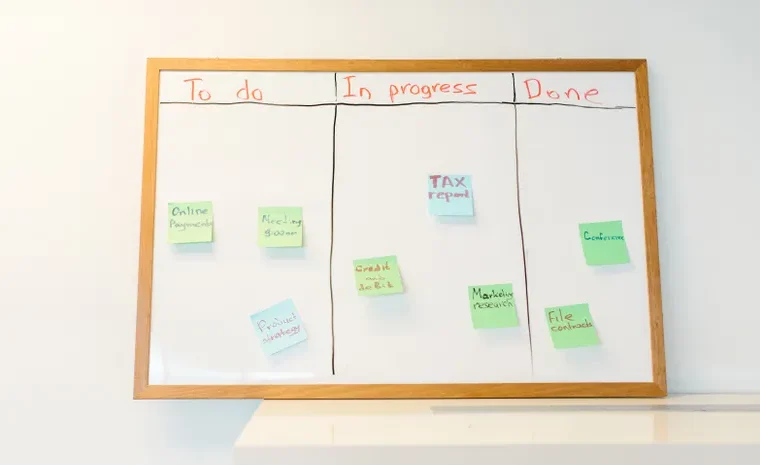
For a small team or freelancer wanting straightforward, visual task tracking without a steep setup process, Trello’s Kanban boards with a basic AI assistant remain genuinely simple to start using immediately. Taskade offers a similar lightweight approach with AI-native agents built in, and a strong free tier for small teams specifically.
If You Already Live in Microsoft 365: Microsoft Planner With Copilot
For a small business already using Microsoft 365 for email and documents, Planner with Copilot reduces the need to adopt an entirely separate platform, keeping project tracking inside tools your team already opens daily.
What AI Actually Does Well Here, and What It Does Not
AI project management features are genuinely strong at drafting task lists from a meeting transcript, summarising status updates, and predicting scheduling conflicts before they happen. They are not a substitute for a person deciding priorities, managing genuine trade-offs between competing deadlines, or handling the human side of keeping a team aligned. Treat AI as reducing administrative overhead, not replacing leadership judgement.
A Simple Way to Decide
- Constant rescheduling and calendar chaos? Motion handles this specifically.
- Want tasks, docs and AI search in one place? ClickUp’s all-in-one approach fits.
- Just need a simple board to track who is doing what? Trello or Taskade avoid unnecessary complexity.
- Already running your business through Microsoft 365? Planner with Copilot keeps everything in one ecosystem.
Frequently Asked Questions
What is the best free AI project management tool for a small team?
Trello and Taskade both offer genuinely usable free tiers with basic AI assistance, making them sensible starting points for a small team before committing to a paid platform.
Is ClickUp too complicated for a very small team?
It can be. ClickUp’s depth and learning curve suit a team that wants extensive customisation, but a very small team with simple needs may find Trello or Taskade a faster way to get started.
Can AI actually manage a project without a human project manager?
Not fully. AI handles scheduling, task drafting and status summaries well, but deciding genuine priorities and managing trade-offs between competing deadlines still requires human judgement.
Which AI project management tool is best for automatic scheduling?
Motion is specifically built around automated scheduling and rescheduling, making it the strongest choice when calendar chaos, rather than task tracking itself, is the main friction point.
Do I need a separate project management tool if I already use Microsoft 365?
Not necessarily. Microsoft Planner with Copilot covers basic project tracking directly within the Microsoft 365 ecosystem, which can reduce tool sprawl for a business already using it daily.
Want to reduce admin overhead elsewhere too? Read our guide on no-code AI automation tools or browse Productivity & Automation.